📱 Phone Emoji — Meaning & Copy
Mobile Phone · Unicode U+1F4F1 · page updated November 04, 2026
What the phone emoji means
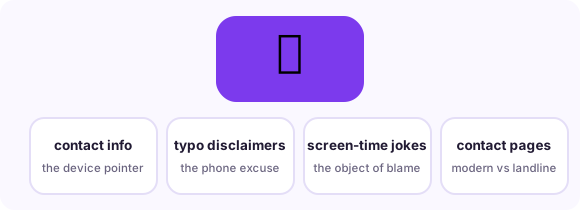
The 📱 emoji - officially Mobile Phone - is the smartphone in its generic rectangular form, and it does the everyday jobs: "call me," "check your phone," "sent from my phone," and the modern condition of being terminally online. Its siblings divide the remaining labor: 📲 (Mobile Phone With Arrow, U+1F4F2) means a message or call is incoming, ☎️ (Telephone, U+260E) is the landline and reads businesslike or retro, and 🤙 (Call Me Hand) slangs the request. 📱 joined the original 2010 set and now mostly serves as the shorthand for phone-adjacent behavior: doomscrolling, screen time, typo apologies, and the eternal 'on my phone, formatting may betray me.'
When people use it — three real scenarios
Call and contact requests
The direct use: pair with a number or 'call me' and the rectangle says which device.
Typo and formatting disclaimers
The modern classic: 'sent from the phone, forgive the chaos' energy condensed to one glyph.
Screen-time jokes
Doomscrolling, battery anxiety and 'touch grass' replies all lean on 📱 as the object of the problem.
Combinations that read like a sentence
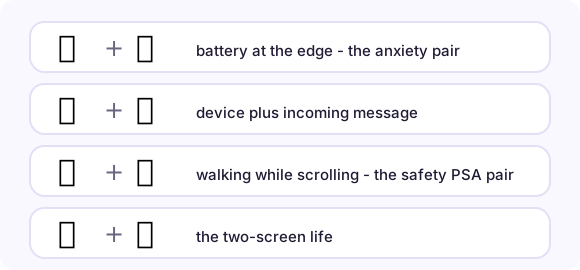
Emoji stack into phrases. These pairs (and the full strings you can copy from each row) are the combinations real conversations settled on:
How it renders on different platforms
Every platform draws a rectangle with a screen; Apple adds a home button, Google's is more bezel-less - all instantly readable as a phone. Choose 📲 when the message is about a communication arriving ("check 📲"), 📱 when about the device itself. In business contexts ☎️ reads old-fashioned-but-professional while 📱 reads modern-personal, so contact pages often pair both. The emoji is also the standard tag for phone-only content (vertical video, mobile app screenshots). No vendor renders it as a specific brand - deliberately generic, which is why it survives model churn.
Copy it anywhere in three steps

On this page, tap the big button under the emoji and it is in your clipboard. In any message app, long-press the text field and choose Paste. On desktop, Ctrl/Cmd+V pastes it wherever a cursor blinks - chat, document, bio field, spreadsheet. The emoji travels as a text character, so it adopts the recipient's platform style automatically: send from an iPhone to a Android phone and the Android user sees Android's drawing. Nothing to install, no sticker packs, no image files.
Related pages
📸 Camera emoji 📋 Copy-paste table 📖 All meanings
Frequently asked questions
What does 📲 mean vs 📱?
📱 is the phone itself; 📲 (with arrow) means a call or message coming in. "Text me 📱" names the device; "you have messages 📲" points at the inbox.
Can 📱 mean flirting?
It can, in "phone is blowing up with your texts" energy - usually paired with 😏 or 🔋. Alone it stays neutral: a device.
How do I copy the phone emoji on a phone?
Tap the big copy button at the top of this page, or tap the emoji itself in any grid here - it lands in your clipboard instantly, ready to paste into any message, bio or document.
What is the Unicode for phone emoji?
Mobile Phone is U+1F4F1 in Unicode. Copying copies the character itself - no image, no sticker - so it renders in the recipient's own font.