📸 Camera Emoji — Meaning & Copy
Camera With Flash · Unicode U+1F4F8 · page updated November 04, 2026
What the camera emoji means
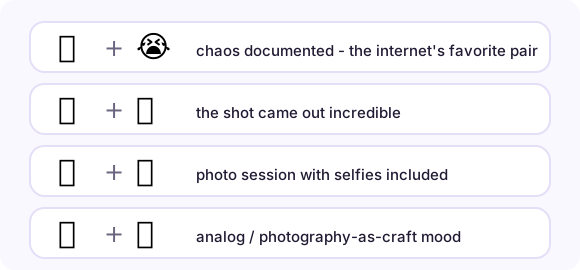
The 📸 emoji - officially Camera With Flash - is the moment-capture camera, and the flash is the semantic: something worth photographing just happened. Its sibling 📷 (Camera, U+1F4F7) is the flash-less device, and the split is real in usage: 📷 announces photography as an activity or a gear post, while 📸 means this exact moment is being kept - hence its dominance in photo-dump captions, "caught on camera" stories and evidence-flavored jokes. The internet's favorite frame is the "📸😭" combo - a screenshot of chaos captioned as if caught by a wildlife photographer - which is as concise a joke as the emoji language has produced.
When people use it — three real scenarios
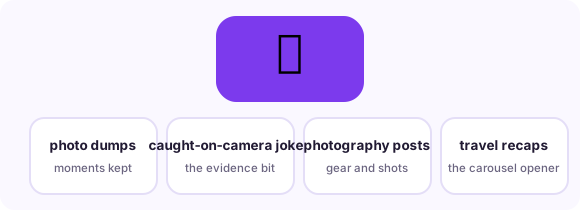
Caption a photo dump
The canonical use: monthly recaps and carousels titled with 📸 signal 'moments kept, in order.'
The 'caught on camera' joke
Pair with 😭 under a cursed or chaotic screenshot - the flash implies documentary evidence of nonsense.
Photography gear and how-to posts
For actual camera talk, 📷 or 📸 both appear; 📸 leans toward the shot, 📷 toward the device.
Combinations that read like a sentence
Emoji stack into phrases. These pairs (and the full strings you can copy from each row) are the combinations real conversations settled on:
How it renders on different platforms
Both cameras draw a classic black bodied device with a lens; 📸 adds light rays and on several platforms a visible flash burst. The distinction between them is a usage convention, not a Unicode guarantee - if you swap them nothing breaks, but photo communities notice. Video contexts use 🎥 (Movie Camera, U+1F3A5) or 🎬 (Clapper Board, U+1F3AC): if the content moves, use those. The selfie generation also has 🤳 (Selfie, U+1F933) for arm-extended self-portraits. One caution: in legal or journalism contexts "📸" as evidence shorthand reads as slang; spell out the claim.
Copy it anywhere in three steps

On this page, tap the big button under the emoji and it is in your clipboard. In any message app, long-press the text field and choose Paste. On desktop, Ctrl/Cmd+V pastes it wherever a cursor blinks - chat, document, bio field, spreadsheet. The emoji travels as a text character, so it adopts the recipient's platform style automatically: send from an iPhone to a Android phone and the Android user sees Android's drawing. Nothing to install, no sticker packs, no image files.
Related pages
😭 Sob emoji 📋 Copy-paste table 📱 Phone emoji
Frequently asked questions
What is the difference between 📸 and 📷?
Convention: 📸 (with flash) marks a captured moment - photo dumps, "caught on camera"; 📷 (no flash) marks photography as activity or gear. Unicode treats them as separate emoji; the semantics are community habit.
What does 📸😭 mean?
It is the documentary-chaos joke: the flash pretends this screenshot is evidence, the crying face laughs at it. Reply with it when a friend's misfortune is too perfectly framed not to keep.
How do I copy the camera emoji on a phone?
Tap the big copy button at the top of this page, or tap the emoji itself in any grid here - it lands in your clipboard instantly, ready to paste into any message, bio or document.
What is the Unicode for camera emoji?
Camera With Flash is U+1F4F8 in Unicode. Copying copies the character itself - no image, no sticker - so it renders in the recipient's own font.