☀️ Sun Emoji — Meaning & Copy
Sun · Unicode U+2600 · page updated November 04, 2026
What the sun emoji means
The ☀️ emoji is the plain sun with rays - the daylight symbol in its most literal form, joined Unicode in the very first emoji batch of 2010. Its companion 🌞 (Sun With Face, U+1F31E) adds a smiling face, and the two split labor neatly: ☀️ reports the weather, 🌞 performs a mood. Searching "sun emoji" usually means either choosing between these two or finding the copy button for the plain one, and the practical rule is simple: captions about actual sunshine take ☀️; feelings described as sunshine take 🌞. Both are among the oldest and most universally supported emoji in existence.
When people use it — three real scenarios
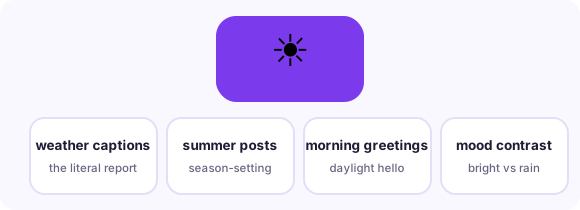
Weather and daylight reports
The literal use: good-morning posts, travel updates, 'finally no rain' announcements.
Warmth without a face
Use ☀️ when the message should feel bright but not cartoonish - mood-light captions, summer sales copy, playlist titles.
Contrast structure
It pairs naturally against 🌧️ and ☁️ in before/after and comparison messages.
Combinations that read like a sentence
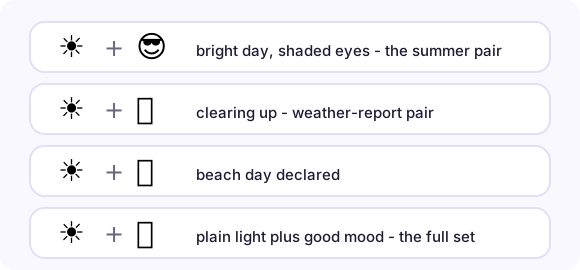
Emoji stack into phrases. These pairs (and the full strings you can copy from each row) are the combinations real conversations settled on:
How it renders on different platforms
☀️ renders as a golden disc with rays on every platform with near-zero variance - it is one of the most standardized emoji in the set, which is why it photographs well in screenshots and never misreads. 🌞 differs more: Apple's face is younger and rounder, Samsung's more grandfatherly, but again never confusingly. One typographic note: ☀️ technically requires a variation selector to render as emoji rather than plain text glyph (☀), and every major platform now defaults to the colorful version - but if you ever see a black-and-white sun, a lost selector is the reason, and copying from this page preserves it.
Copy it anywhere in three steps

On this page, tap the big button under the emoji and it is in your clipboard. In any message app, long-press the text field and choose Paste. On desktop, Ctrl/Cmd+V pastes it wherever a cursor blinks - chat, document, bio field, spreadsheet. The emoji travels as a text character, so it adopts the recipient's platform style automatically: send from an iPhone to a Android phone and the Android user sees Android's drawing. Nothing to install, no sticker packs, no image files.
Related pages
📋 Copy-paste table 📖 All meanings 🆕 New emoji
Frequently asked questions
What is the difference between ☀️ and 🌞?
☀️ is the plain sun - weather, daylight, literal brightness. 🌞 adds a smiling face and performs a mood ("feeling sunny"). Weather reports take the plain one; feelings take the face.
Is there a sunset emoji?
Yes - 🌅 Sunrise (U+1F305) and 🌇 Sunset Over Buildings (U+1F307) are separate emoji, plus 🌆 Cityscape at Dusk. They are linked from the copy-paste table on this site.
How do I copy the sun emoji on a phone?
Tap the big copy button at the top of this page, or tap the emoji itself in any grid here - it lands in your clipboard instantly, ready to paste into any message, bio or document.
What is the Unicode for sun emoji?
Sun is U+2600 in Unicode. Copying copies the character itself - no image, no sticker - so it renders in the recipient's own font.